


How to find CMS in Wix Harmony

Looking for CMS in Wix Harmony and finding instructions for a different Wix editor? That’s where things get confusing. In Harmony, the route starts with a repeater.
This short video shows where to find the controls, connect a collection and open it to manage your content. It uses official Wix Harmony screenshots.
Add a repeater
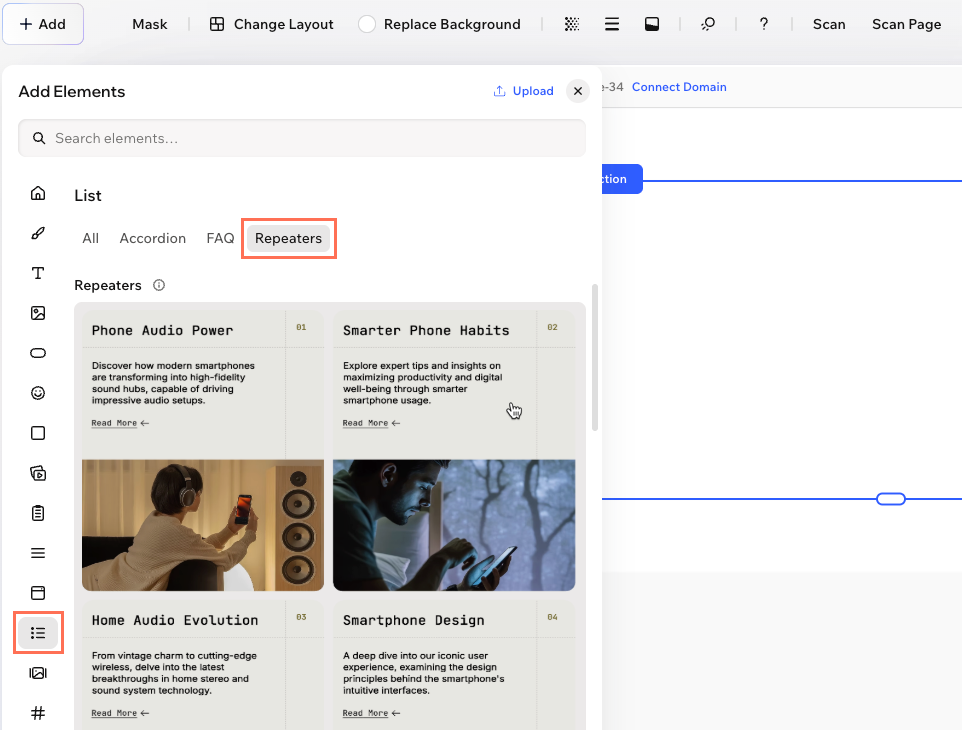
In the Harmony editor, open + Add → Elements → List → Repeaters. Choose a repeater and drag it onto your page.
A repeater displays several items using the same layout: a row of project cards, for example, each with its own image and text. A collection holds the content those cards use.
Connect a collection
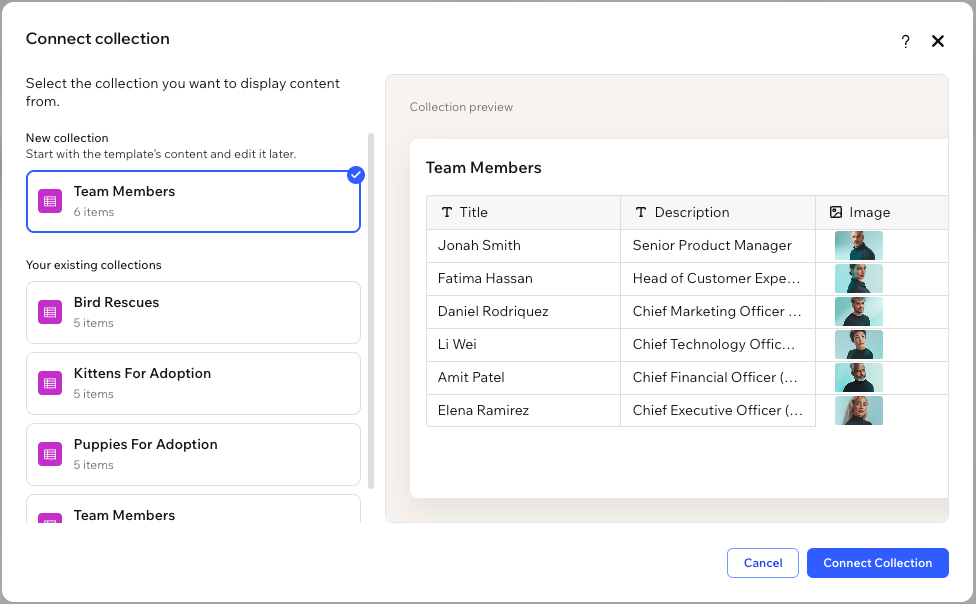
Select the repeater and choose Connect Collection. Create a new collection, or select an existing one if it already contains the content you want to display.
This is the step that is easy to miss when you are looking for a separate CMS button. Adding an element that uses collections brings CMS into the site.
Open the full collection
Select the connected repeater and choose Manage Items → Open collection. The Open collection link sits at the bottom of the panel. You can also click the collection name near the top.

What if the option is missing?
Wix is rolling out CMS functionality in Harmony progressively. If the controls are missing, the feature may not be available in your account yet. These steps describe the documented workflow for accounts where it is available.


